 |
privacy |
||||||||
|
Hangout for experimental confirmation and demonstration of software, computing, and networking. The exercises don't always work out. The professor is a bumbler and the laboratory assistant is a skanky dufus.

Blog Feed Recent Items 
The nfoCentrale Blog Conclave nfoCentrale Associated Sites |
2008-09-12Cybersmith: IE 8.0 Mitigation #1: Site-wide CompatibilityTechnorati Tags: cybersmith, interoperability, IE8.0 mitigation, web site construction, web standards, compatibility I have been experimenting with Internet Explorer 8.0 beta 2 enough to realize that all of my own web sites are best viewed in compatibility mode, not standards mode. I find it interesting that other browsers, such as Google Chrome, apparently apply that approach automatically, suggesting to me that the IE 8.0 standards mode is going to cause tremors across the web. The first step to obtaining immediate, successful viewing under IE 8.0, as well as older and different browsers, is to simply mark all of my sites as requiring compatibility mode. That is the least activity that can possibly work. It provides a tremendous breathing room for being more selective, followed eventually by substitution of fully-standard versions of new and heavily-visited web pages on my sites. Some pages may remain perpetually under compatibility mode, especially since the convergence of web browsers around HTML 5 support will apparently preserve accommodations for legacy pages designed against non-standard browser behaviors. This post narrates my effort to accomplish site-wide selection of compatibility mode by making simple changes to web-server parameters, not touching any of the web pages at all.
#0. The Story So FarOn installing Internet Explorer 8.0 beta 2, I confirmed that none of my web sites render properly using the default standards-mode rendering. However, my sites render as designed for the past nine years if I view them in compatibility mode. Although I want to move my high-usage pages to standards-mode over time, I don't want users of Internet 8.0 to have to manually-select compatibility mode when visiting my sites and their blog pages. What I want now is the simplest step that will advertise to browsers that my pages are all to be viewed in compatibility mode. This will direct the same presentation in IE8.0 as provided by older versions of Internet Explorer and and current browsers (such as Google Chrome) that don't have the IE8.0 standards mode. I can then look at a gradual migration toward having new and high-activity pages be designed for standards-mode viewing while other pages may continue to require compatibility mode indefinitely. #1. The Simplest First Step That Can Possibly WorkThere are ways to have web sites define the required document compatibility without having to touch the existing web pages at all. If I am able to accomplish that, I will have achieved an easy first step:
This is accomplished by convincing the web server for my sites to insert the following custom-header line in the headers of every HTTP response that the server makes:
The HTTP-response lines precede the web page that the web server returns. The browser recognizes all lines before the first empty line as headers. Everything following that empty line is the source for the web page. The browser processes the headers it is designed to recognize and ignores any others. You can see the headers returned as part of an HTTP request by using utilities such as cURL and WFetch. Here are the headers from my primary web site using a show-headers-only request via the command-line tool, cURL: 2. Satisfying the PrerequisitesThe MSDN Article on Defining Document Compatibility describes site-wide compatibility control for two web servers: Microsoft Internet Information Server (IIS) and Apache HTTP Server 1.3, 2.0, and 2.2.
The Apache 2.2 Module mod_headers documentation and Hanu Kommalapati's example describe how directory-level response headers can be specified instead.
3. Experimental Approach for Confirming mod_headers Operation
4. Web Deployment ApproachHaving direct FTP access to the web-page folders on my server, along with an out-of-the-way place to try out the change, is relatively safe. Since I am placing an .htaccess file where there presently is none, it is feasible to (1) upload the file, (2) see if it works, and (3) quickly delete it if there is any failure. Having succeeded in introducing .htaccess files for other purposes, I'm confident I can make the change correctly. I'll not do it that way. Instead, I will rely on my web-deployment-safety model and take advantage of the safety net it affords, even though I could do without it if all I wanted was experimental confirmation. This is a cybersmith post, and I want to illustrate a disciplined approach that has more flexibility in the long run. To see the result that could have been attained by using the direct approach, you can peek ahead to section 6, below, and the image just above it. Here is the structure of safeguards that I employ to control updates to my sites, keep them backed up, and also have a way to restore/move some or all of the sites. I can also roll-back changes that are incorrect or damaging. I can repair a corrupted site too (and I have had to do that in the past).
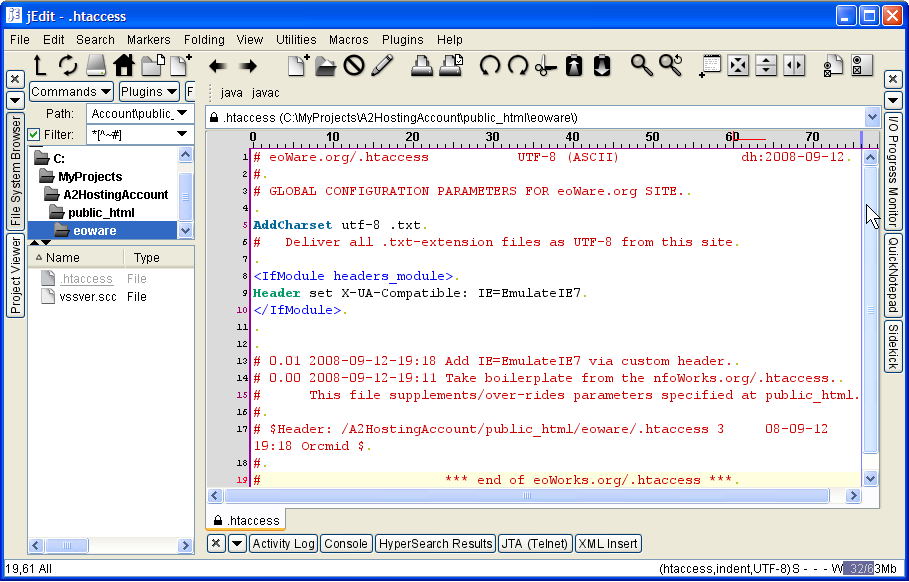
5. Authoring the .htaccess FileIf I was simply making an .htaccess page, I would create it directly in a text editor, having a file such as that created in step 4, below. That page would be saved at a convenient location-machine address and then transferred to the hosted-site using FTP, leading to the result in section 6. To preserve my development and deployment model, I require more steps.
6. Deploying the .htaccess FileHaving edited the .htaccess file on my development machine and checked it into VSS (on the development server), the next steps are all conducted on the development server:
This is the same deployment procedure for updating of any of my individual sites under the hosted-site. A script for it would be useful. This is on my someday-not-now list. Scripted or not, this is the basic procedure. 7. Confirming .htaccess SuccessAssuming that the .htaccess introduction has not derailed the server, confirmation of the parameters and their success is straightforward:
8. Shampoo, Rinse, RepeatWe've demonstrated that the .htaccess customization works correctly on my web site and provides the desired result on a little-used URL that is a placeholder for work yet to come. After this cautious effort, it will be straightforward to add similar .htaccess files to each of the individual sites implemented on the hosted-site. Before that, I will first add the custom-header response to the .htaccess file that is already at public_html, the root of the main site, http://nfocentrale.com. This provides the custom header for all access. Once all site access returns the custom HTTP header, I can then take my time determining how to work toward migrating sections of web sites to pages that view properly in IE 8.0 standards mode. That will be accounted for as additional mitigation steps. 9. Tools and ResourcesThe following tools were used in this mitigation step:
Labels: cybersmith, IE8.0 mitigation, web site construction 2008-09-10DMware: OK, What's CMIS Exactly?Technorati Tags: DMware, IBM, Microsoft, CMIS, Content Management, iECM, EMC, Lotus, Sharepoint, Filenet, Open Text, OASIS, Web Services, interoperability, Document Management There's a nice flurry of interoperability news today, announcing the Content Management Interoperability Services (CMIS) Specification sponsored by EMC, IBM, and Microsoft, with the participation of other content-management vendors, including Open Text. [update: There is extensive coverage on Cover Pages. I recommend that as the comprehensive source.] Content/Document-Management Integration/Middleware Scheme for This Century?The stratospheric view from Josh Brodkin suggests that CMIS is a means for cross-over between different content-management regimes as well as bridging from content-aware applications to content-management systems. The Sharepoint Team describes CMIS as an adapter and integration model for access from content-aware applications in a CMS-neutral way, relying on distributed services via SOAP, REST, and Atom protocols. The 0.5 draft specification (2008-08-28 6.64MB Zip File download) provides a core data model for expression of managed repository entities, with loosely-coupled interface for application access to repositories via that model: "The CMIS interface is designed to be layered on top of existing Content Management systems and their existing programmatic interfaces. It is not intended to prescribe how specific features should be implemented within those CM systems, nor to exhaustively expose all of the CM system’s capabilities through the CMIS interfaces. Rather, it is intended to define a generic/universal set of capabilities provided by a CM system and a set of services for working with those capabilities." It appears that a wide variety of service integrations are possible, although the basic diagram has the familiar shape of an adapter-supported integration on the model of ODBC (and TWAIN and ODMA). Although that's the model, the integration approach is decidedly this-century, relying on relatively-straightforward HTTP-carried protocols rather than client-side integration. Clients must rely on the Service-Oriented Interface, and there is room for provision of client-side adapters to encapsulate that. Either way, this strikes me as timely and very welcome.
Next StepsThe authors have been working for two years to arrive at the draft that will now be submitted to OASIS, estimating that it will take another year to finalize a 1.0 version. [Such a Committee Draft would then go through some rounds of review before promulgation as an OASIS Standard.] I thought, at first, that this was some form of off-shoot from the AIIM Interoperable ECM (iECM) Standards Project, yet there is no hint of that in the CMIS materials nor on the iECM project and wiki pages. Announcement of the Proposed TC has just appeared at OASIS [afternoon, September 10]. OASIS Members will make any comments on the proposed charter by September 24, after which there will be a call for participation and then an initial meeting. OASIS members who want to participate in the TC can sign up after the call for participation. The initial meeting is provisionally targeted for a November 10 teleconference. The first face-to-face meeting is planned for three days of mid-January in Redmond. You can follow the charter-discuss list here to see whether there are any questions about the charter, scope, and overlaps with other efforts. Announcements, Commentary, and Resources
[update 2008-09-12T08:09Z I am having trouble getting Blogger to push updates through FTP to my site. This repost is an attempt to get the previous changes posted. update 2008-09-11T19:12Z Well, added some interesting links as deeper analysis and pontification arises. I don't expect to add more unless Dare or Tim Bray chime in. update 2008-09-11T15:43Z Use full-size CMIS diagram from EMC (via Cover Pages) update 2008-09-11T15:35Z Repair handling of images and attract attention to the Service-Oriented Interface notion employed in the CMIS diagram. update 2008-09-11T15:17Z Add link to comprehensive Cover Pages compilation. I'm also praying that Blogger's FTP update succeeds sometime in the proximity to my submitting the post. update 2008-09-11T02:37Z Add links to additional resources at EMC and to add images/videos to the page. update 2008-09-11T01:15Z Added more links and information about the OASIS Proposed Charter for the CMIS TC.] Labels: DMware, interoperability 2008-09-07Document Interoperability: The Web LessonTechnorati Tags: interoperability, IE8, web site construction, web standards, compatibility, conformance, document preservation, document formats, IE8.0 mitigation, HTML 5 [update 2008-09-08T00:24Z Cross-posted from Pursuing Harmony because of the overlap with convergence of HTML, web standards, and the IE80.0 mitigation that is touched on here.]
Be prepared for a dramatic shift in the reality of web-site browsing and the honoring of web-page standards. The pending release of Microsoft Internet Explorer 8 is going to put the reality of web standards and their loose adherence in our faces. Although Internet Explorer is indicted as the archetypical contributor to disharmony on the web, Internet Explorer 8 is going to challenge all of us to deal with the reality of our mutual contribution to the current state of affairs. Here is a lesson, probably many lessons, for document interoperability and the way that standards for document formats evolve and harmonize, or not, over time. The Web as Clinical ScienceThe movement from loosely-standard pages and their browsing to strictly-standard pages and standards-mode browsing will illustrate every aspect of the same challenge for office-productivity documents and the office suites that process them. Web pages are the experimental drosophilae of digital documents. All aspects of dynamic convergence on standards, themselves evolving, and the forces of divergence, are demonstrated clearly and rapidly. I expect it to take Internet generations for significant convergence, with no static level of standards adherence anywhere in sight. It took us almost 20 years to get to this point on the Web; I figure it will take at least five more to dig out of it far enough to claim that there is a standards-based web in existence and in practice. I'm optimistic, considering that HTML 5, the great stabilization, is not expected to achieve W3C Recommendation status until 2012. No document-interoperability convergence effort is anywhere close to the promising situation of the web as Internet Explorer 8, HTML5 implementations, and other compatibility-savvy browsers roll out over the next several years. It is useful to use that situation to calibrate how convergence and interoperability could work for document interoperability. There are significant technical barriers. The non-technical barriers are the most daunting. That should be no surprise. Versioning in Document UseI've written on Orcmid's Lair about the IE 8.0 Disruption. This involves changes in Internet Explorer 8.0 by which web pages are rendered in standards-mode on the assumption that pages are conformant with applicable web standards. In the past, it was presumed that pages were loosely-standard and browsers, also loosely-standard, made a kind of best effort to present the page. The consequences have been explained marvelously in Joel Spolski's post on Martian Headsets. We are similarly relying on document-format standards as a way to provide for many-to-many interchange and interoperability between different (implementations of versions of) document-format standards and different (implementations of versions of) processors of those digital documents. That means we have a version of the loosely-standard documents with loosely-standard processing problem. We can't be strictly standard because the standards can't (and definitely don't) have strict implementations at the moment; and there are many ways that specifications and implementations have been kept loose by design. Accompanying that looseness by design is the the simple fact of immaturity among the contending document-format standards for office applications, particularly as vehicles for interoperable applications. For office-productivity documents as we know and love them, there are five, count 'em five "official standards." The "Official" Public Standards of Office DocumentsFor Office Open XML Format (OOXML), there is the ECMA-376 specification of December 2006. There is also the ISO/IEC 29500:2008 Office Open XML File Formats standard once it is made available. IS 29500 will have some substantive differences from ECMA-376. We won't have a solid calibration of the differences until the IS 29500 specifications are available and subject to extensive review. For the OpenDocument Format, there is the Open Document Format for Office Applications (OpenDocument) v1.0 OASIS Standard issued 1 May 2005. There is also the ISO/IEC 26300:2006 Open Document For Office Applications (OpenDocument) v1.0 standard (also on the publicly-available listing). IS 26300 is for the same format as the OASIS v1.0 standard, but it is on a completely-separate standards progression. Appendix E.3 accounts for the differences of IS 26300 from the text of the May 2005 OASIS Standard. The first page of the IS 26300:2006 document (page 5 of the PDF) identifies its source as Open Document Format for Office Applications (OpenDocument) v1.0 (Second Edition) Committee Specification 1, dated 19 July 2006, derived from document file OpenDocument-v1.0ed2-cs1.odt; this is not another OASIS Standard, however. The second and latest OASIS Standard for ODF is Open Document Format for Office Applications (OpenDocument) v1.1 issued 2 February 2007. This document is derived from OpenDocument v1.0 (Second Edition) Committee Specification 1, the same specification that is the source of content for ISO/IEC 26300:2006. The changes made to arrive at ODF v1.1 from the v1.0 (Second Edition) committee specification are detailed in Appendix G.4. There are some mildly-breaking changes from ODF v1.0 to ODF v1.1, mostly of a clarification or correction nature. There are a few additional features that have no down-level counterparts in ODF v1.0. A third OASIS Standard, ODF v1.2, is under development. The current drafts, using a very-different organization from v1.1, are available as pubic documents of the OASIS Open Document TC. We can expect to see more versions of ODF and of OOXML at their various standards venues. We'll be watching here on nfoWorks as the situation becomes even more chaotic. Notice that this diversity ignores the variety of divergent implementations of the various specifications. Format Versions that Live ForeverIt is possible for one document-format specification to officially supplant another, with the older specification deprecated. That has not been done so far with any of the five-and-growing document-format specifications, any more than it has been done for most of the versions of HTML specifications that have been recommendations of the W3C (and IETF before the development track moved entirely to W3C). For example, the last full-up specification for HTML, the HTML 4.01 W3C Recommendation of 24 December 1999, has this to say about its immediate predecessor: "This document obsoletes previous versions of HTML 4.0, although W3C will continue to make those specifications and their DTDs available at the W3C Web site." This was possible because HTML 4.0 was young and there were important defects that 4.01 cured. The HTML 4.01 specification continues with the following recommendation: "W3C recommends that user agents and authors (and in particular, authoring tools) produce HTML 4.01 documents rather than HTML 4.0 documents. W3C recommends that authors produce HTML 4 documents instead of HTML 3.2 documents. For reasons of backward compatibility, W3C also recommends that tools interpreting HTML 4 continue to support HTML 3.2 [W3C Recommendation 14 January 1997] and HTML 2.0 [IETF rfc1866 November 1995 and the IETF-obsoleting rfc2854 June 2000] as well." The XHTML branch of specifications, originally derived from HTML 4.01, were intended as the basis for a future generation. Meanwhile, there has been work toward both XHTML 2 and HTML 5.0. HTML 5.0 is currently intended to exist alongside XHTML 1.x and its newer arrangements while also absorbing XHTML 1.x to some degree (by having an XML form). The current HTML 5.0 draft specifies legacy processing (in its HTML-syntax form) for variations of over 60 HTML DOCTYPE DTD flavors, extending back to HTML 1.0 and other variants. The intention is to converge HTML and XHTML 1.x under a consistent HTML 5 processing model with only no-quirks, some-quirks, and quirks modes. This is also intended to end the variation and extension of HTML (not XHTML) by capturing <!DOCTYPE HTML> for its own and having a concrete HTML syntax that is fully-divorced from both SGML and XML. It is important to point out that HTML 5 is not going to eliminate the divergence that browser (user-agent) plug-in models, plug-in implementations and scripting systems (especially client side) bring to the mix. Document-format versions are not easily abandoned. Even if production of a format is deprecated, consumption of the format may need to continue into the indefinite future, and certainly so long as emitters of deprecated formats have significant usage. The W3C progression of HTML is at a point where that is fully-recognized and being honored in reaching toward an HTML 5 plateau sometime in the next decade. Considering this promising stabilization, when would I manage to change all of my web sites and blogs to clean HTML 5 pages? Not until I know that visits to those sites are only a small fraction of Internet Explorer versions prior to IE8 (or maybe IE9) and other browsers lacking full-up standards-mode processing. Fortunately, the HTML 5 specification-effort promises to show me exactly how to do that in a mechanical way. I am looking forward to automated assistance. In my case, I'll also have the benefit of my IE 8.0 mitigation effort. Other web sites may require other approaches, and user browser choice will involve important trade-offs for some time. I am surprised by the number of people who operate multiple browsers. Although I operate multiple products for office applications these days, that's mostly to explore their interoperable use, not to ensure ability to interchange documents (well, not until I joined OASIS and the ODF TC). I've been a serial adopter of Internet Explorer versions since IE 2.0. As a typical late-adopter, I may finally branch out now just to have a better calibration of the migration to standards-based sites and browsers for them. This is an important lesson for the management of the expanding variety of specifications of formats for office-application documents, formats of which HTML packagings are sometimes one of the flavors. Reconciling office-application document-format versions does not promise to be so easy as the current effort to stabilize HTML for the web. The Looseness of Document SpecificationsOf course, OOXML and ODF are not close dialects off a single family tree, as HTML variants might be treated (and HTML 5 demonstrates, if successful). In addition, the current specifications are not for same-conformance, interchangeable-everywhere documents:
Prospects for Interoperable ConvergenceWe already have before us difficulties with interoperable convergence of individual progression of a single standard and its variety of implementation. This makes the prospect of harmonization between different standard formats rather murky. Desktop office-application software has more promise with regard to application of Postel's Law, to be liberal in what is accepted and conservative in what is produced. Unfortunately, the current specifications do not require conservative, interoperable implementations; the current specifications are arguably antagonistic to such an achievement. I suspect that this is an unintended consequence mixed with some inattention to what it takes for interoperability to be achievable. It remains to see how our experience and understanding matures. We are at the beginning, not the finish. The journey may seem endless.
The process of IE 8.0 mitigation and preparation for a standards-mode approach to web browsing impacts this site and blog as well as every other web page I have ever posted (somewhere over 120MB worth and climbing). I'm not going to say anything more about IE 8.0 mitigation and HTML harmonization here. The overall effort will be tracked in that category of Professor von Clueless posts; that's the place to follow along. The lesson for document interoperability is something that is definitely appropriate for Pursuing Harmony; there'll be much more to say about that. Labels: confirmable experience, document standards, HTML 5, IE8.0 mitigation, interoperability, web site construction |
||||||||





![CMIS Integration Model featuring Service-Oriented Interface [via EMC: click for full-size iamge]](http://orcmid.com/BlunderDome/clueless/images/DMwareOKWhatsCMISExactly_D3E4/F08xx14200809110839CMISEMC.jpg)

|
You are navigating Orcmid's Lair. |
template
created 2004-06-17-20:01 -0700 (pdt)
by orcmid |